Most authors think their book isn’t selling because of the story or the ads. Often the problem shows up earlier: on the Amazon page itself.
We recently reviewed the catalogue of an indie fiction author with 7 published books and very weak sales. The stories had real potential: village mysteries, the supernatural, love and betrayal. But the listings were turning readers away before they ever reached page one.
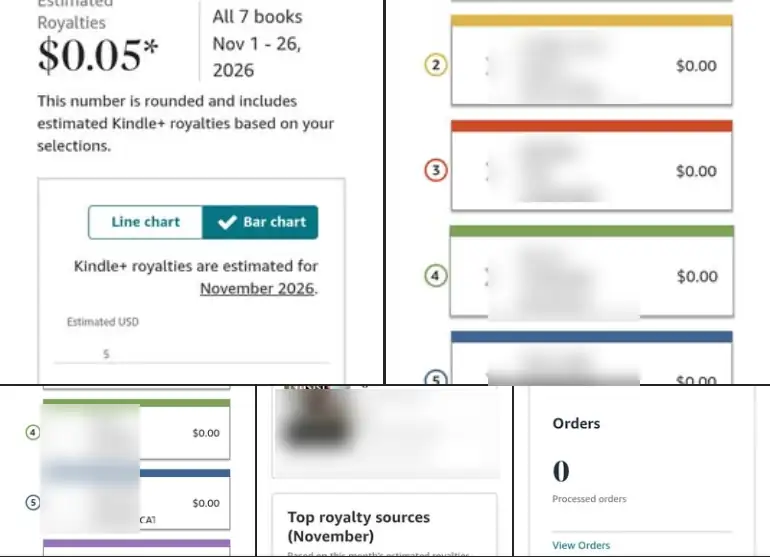
Here’s what we found and how to fix it.
1. Typos in the title and description
One title had a misspelled word. One description wrote “Holly Water” instead of “Holy Water”.
Why it hurts: Readers think, “If the cover page has errors, the book will too.” Search also suffers, because people who type the correct spelling won’t find the book.
Fix: Proofread all metadata (title, subtitle, description) and the interior before publishing.
2. Unprofessional title formatting
Titles ended with full stops, mixed ALL CAPS with lowercase, and used a name in the subtitle field.
Why it hurts: In a crowded search page, messy titles look amateur.
Fix: Use title case, no ending punctuation, and a subtitle that tells readers the genre. For example: A Novel of Love and Betrayal.
3. Paperback and ebook titles don’t match
The paperback and ebook were published under slightly different titles.
Why it hurts: Amazon may not link the editions, so reviews get split between them and each page looks emptier.
Fix: Use the same title and author name everywhere, then ask KDP Support to link the editions.
4. The wrong “Large Print” label
The paperback was tagged as Large Print.
Why it hurts: Regular readers skip large-print editions. Readers who need large print feel misled if the type is small.
Fix: Format a standard interior (6×9 is common for fiction), or build a true large-print edition. KDP’s large-print standard is 16 pt type or bigger.
5. A rough interior
Self-formatted books often have inconsistent fonts, uneven spacing, missing chapter headings and broken ebook layouts.
Why it hurts: Readers see this in “Look Inside”, and it leads to “needs formatting” reviews.
Fix: Have the print and ebook files formatted professionally, so the book reads like one from a traditional publisher.
6. Descriptions that summarise instead of selling
The descriptions retold the plot in a flat way.
Why it hurts: A description is sales copy. Its job is to make the reader curious, not to explain the whole story.
Fix: Open with a hook, introduce a character with something at stake, and end on a question. Then add A+ Content (image modules under the description) to show the mood and genre.
Before
The Lake that can Communicate is a fictional novel that narrates story about life under the water…
After
Everyone in the two villages knows the lake is holy. Its water heals. Its depths hide something no one dares name. Then young Jimmy wades in — and never comes back.
The takeaway
None of these problems is about the quality of the story. All of them can be fixed, usually in a few days, and they need fixing before any ad money is spent.
Is your book not selling?
PixelInd offers book formatting, cover design, KDP A+ Content and listing makeovers for indie authors.